Zapier got you started. Here’s why it can’t take you further.
Published Mar 17, 2026 · 10 min read
Off-the-shelf automation tools are brilliant for getting started. But scale, complexity, and compliance requirements expose the gap between convenience and control.
When Zapier, n8n, and Make work
Credit where it is due: drag-and-drop automation tools solved a real problem. They made it possible for non-technical teams to connect applications, move data between systems, and eliminate some manual repetition without writing a single line of code.
For simple use cases, they still work. If you need a Slack notification when a form is submitted, a row added to a spreadsheet when an email arrives, or a CRM record updated when a deal closes — Zapier, Make, and n8n handle these cleanly. The trigger-action model is intuitive, setup takes minutes, and the cost is predictable at low volume.
The problems start when your workflows outgrow the trigger-action model.
When off-the-shelf automation breaks
- •Simple triggers between two applications
- •Low-volume notifications and status updates
- •Standard integrations with well-documented APIs
- •Non-critical workflows where failure is an inconvenience, not a liability
- •Prototyping automation logic before committing to a permanent solution
- •Complex conditional logic with multiple decision branches
- •Error handling at scale where failures cascade across systems
- •Workflows that require human approval before external actions execute
- •Multi-step processes with dependencies between upstream and downstream tasks
- •Compliance requirements that demand audit trails and immutable logs
- •High-volume operations where per-task pricing becomes prohibitive
The hidden cost of low-code automation
The sticker price of Zapier is not the real cost. The real cost is what happens when an automation fails at the wrong moment, when you cannot explain to a client what happened, or when you spend more time maintaining visual workflows than the manual process ever consumed.
Low-code tools trade long-term control for short-term speed. That tradeoff works when the stakes are low. When the stakes increase — when automations touch billing, client data, or compliance-sensitive operations — the tradeoff becomes a liability.
API changes break Zaps silently. You discover the failure when a client asks why their invoice never arrived.
Every Zap executes immediately. There is no approval gate, no review step, no way to catch a misconfigured automation before it acts on live data.
Zapier logs show that a task ran. They do not show why it ran, what decision led to that trigger, or who authorized the action.
When a visual workflow fails at scale, you are reading flowcharts in a browser, not stack traces in a terminal. Good luck finding the edge case.
What custom governed automation delivers
Custom automation does not mean starting from scratch. It means building workflows designed for your specific constraints instead of adapting your constraints to fit a platform’s limitations.
Every workflow we build is Python-based, version-controlled, and designed around your business rules. Instead of dragging boxes in a browser, you get code you can audit, test, and extend. Instead of hoping an API connection holds, you get error recovery designed into the workflow from the start.
Human approval gates mean no automation acts on external systems without explicit authorization. Full execution logging means every action is recorded — what happened, when, why, and what the measured result was. ROI tracking is built into the workflow, not bolted on after the fact.
The difference is not complexity. The difference is control. Custom automation gives you both the speed of automated execution and the safety of human oversight — something drag-and-drop tools structurally cannot provide.
The governance difference
This is the fundamental architectural difference. Zapier executes immediately. When a trigger fires, the action runs. There is no review step, no approval gate, no moment where a human can evaluate whether this specific execution should proceed.
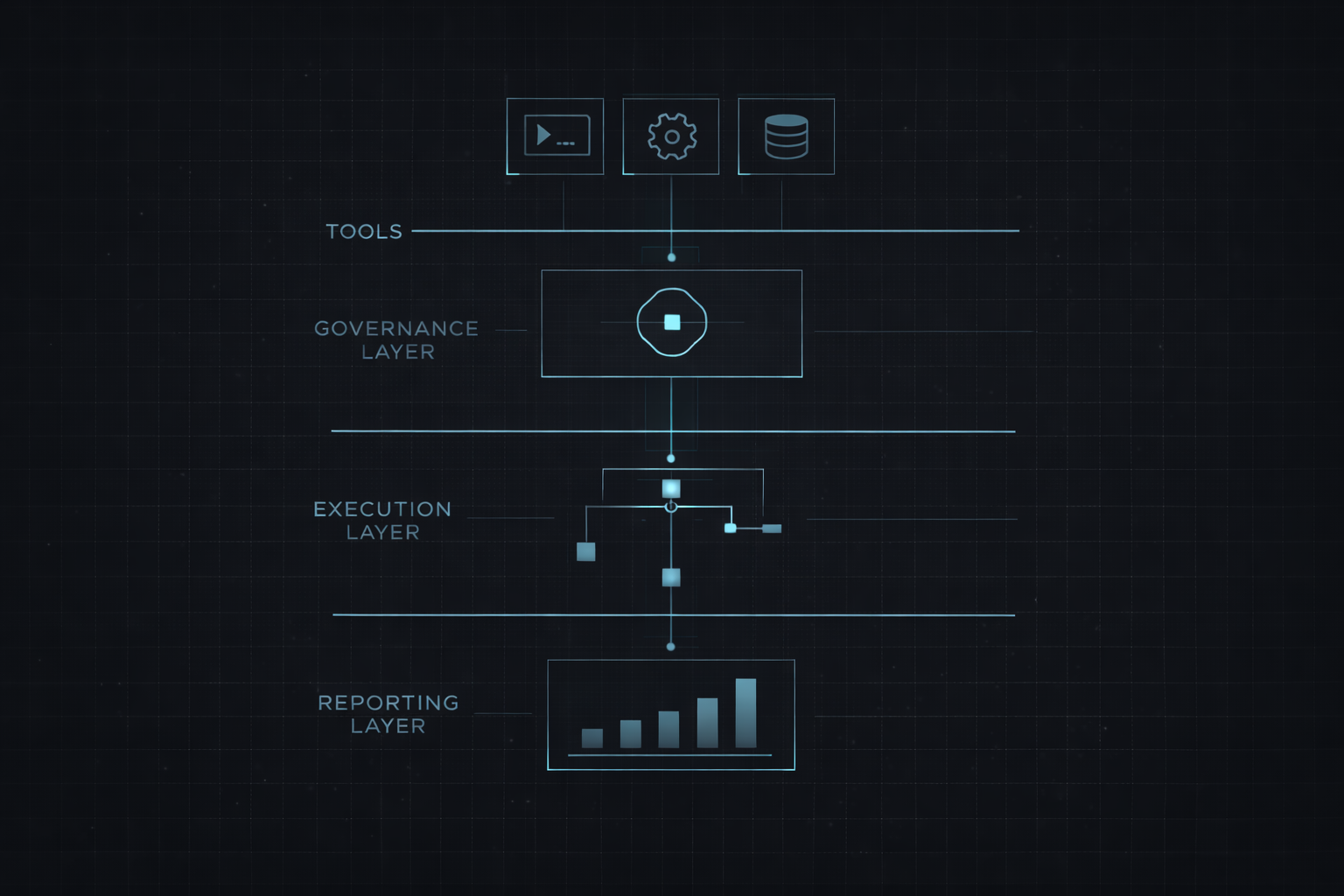
Our system operates on a propose-approve-execute model. The automation identifies what should happen, presents the proposed action for human review, and only executes after explicit approval. Every execution is logged in an immutable record. Every result is measured against the expected outcome.
This matters most when automations touch systems with real consequences — sending client communications, processing payments, updating records of compliance significance. In those contexts, “it ran automatically” is not an acceptable explanation for a mistake. Governed execution means every action has a decision trail.
The governance envelope travels with each automation from audit through implementation — defining what the automation can do, what requires approval, and what is explicitly off-limits.
When to stay with Zapier vs when to upgrade
Stay with Zapier if your automations are simple, low-stakes, and low-volume. If a Zap failing means a Slack message does not send, the risk is manageable. If your workflows fit cleanly into the trigger-action model and you are not hitting platform limits, there is no reason to change.
Upgrade when your automations touch billing, client data, or compliance-sensitive operations. Upgrade when you are spending more time debugging visual workflows than building new ones. Upgrade when your workflow complexity has outgrown what a drag-and-drop interface can reliably manage.
The transition does not have to be abrupt. An automation audit identifies which workflows should stay on Zapier and which should move to governed custom automation. Not everything needs to migrate — only the workflows where the cost of failure exceeds the convenience of low-code.
Find out which workflows need to graduate
Start with a free diagnostic to identify your highest-leverage automation opportunity. Upgrade to a full audit for the complete constraint map and governance framework.
Read more: How to audit your workflows · 6 signs you need an automation audit · How governed execution works